
Free
$0
Every feature and 36 conversions — enough to judge Spool on a roll of your own film. No account, no card.
ENPL
Download Spool Buy licenceOne app for your film scans: file the rolls, convert them, edit, print test strips and contact sheets, and lay out posts. Every frame is converted from its own film base.
One payment, no subscription. Windows and macOS. The free version converts one roll (36 frames). Older macOS
 LightDark
New in 0.9.8
The Studio tab plans a shoot before it happens: your room in 3D, the lights, the camera and the picture it will take, then a PDF to take to the shoot. A version for iPhone and iPad is being designed now — tell us what you would want in it with Report feedback in the app.
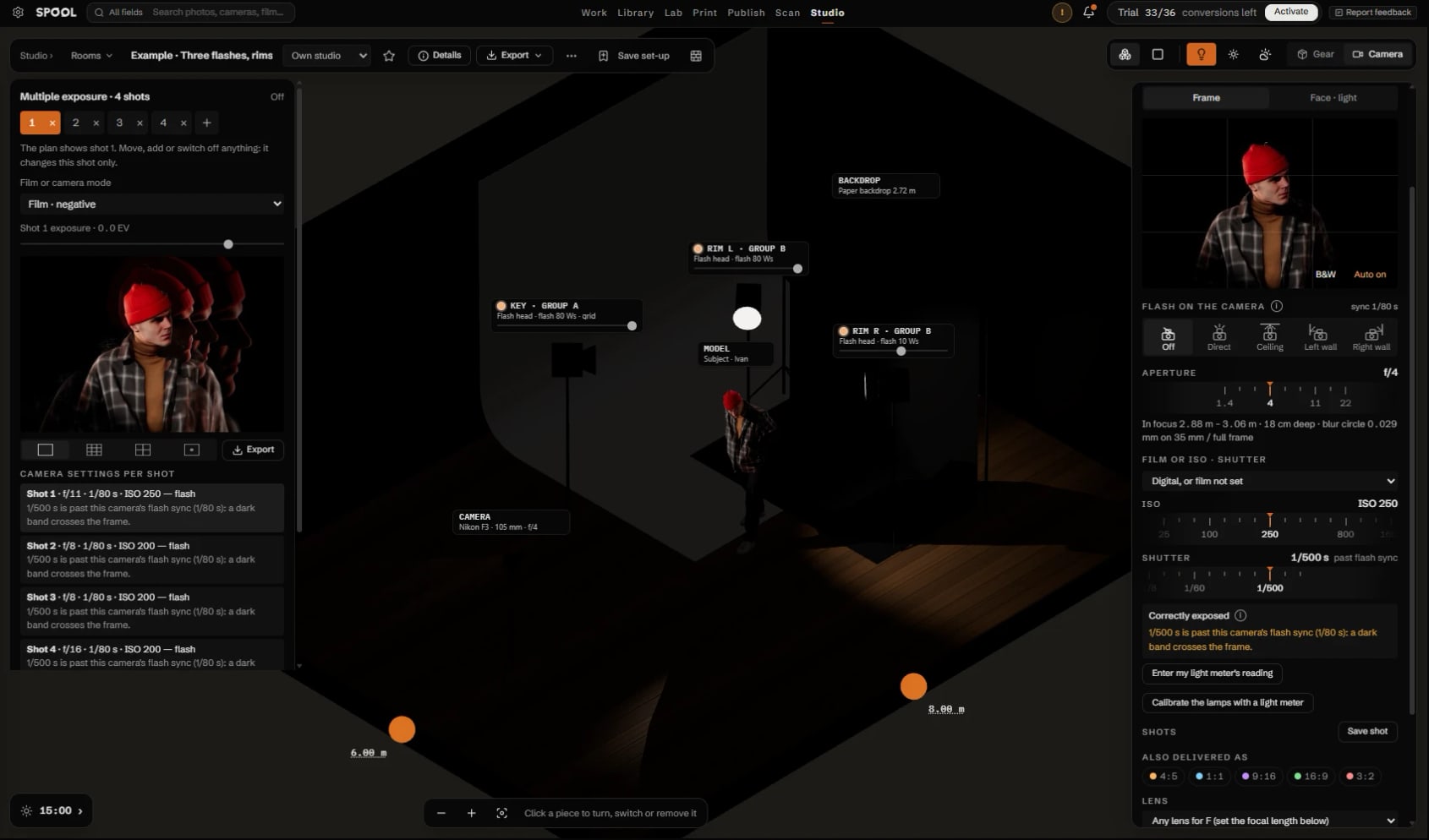
The full Studio comes with a Spool licence; without one it opens as a preview with one lamp, one camera, one window and four set-ups to look at.
Everything Studio does, and every other feature →
Out now for Windows and macOS. Everything that changed
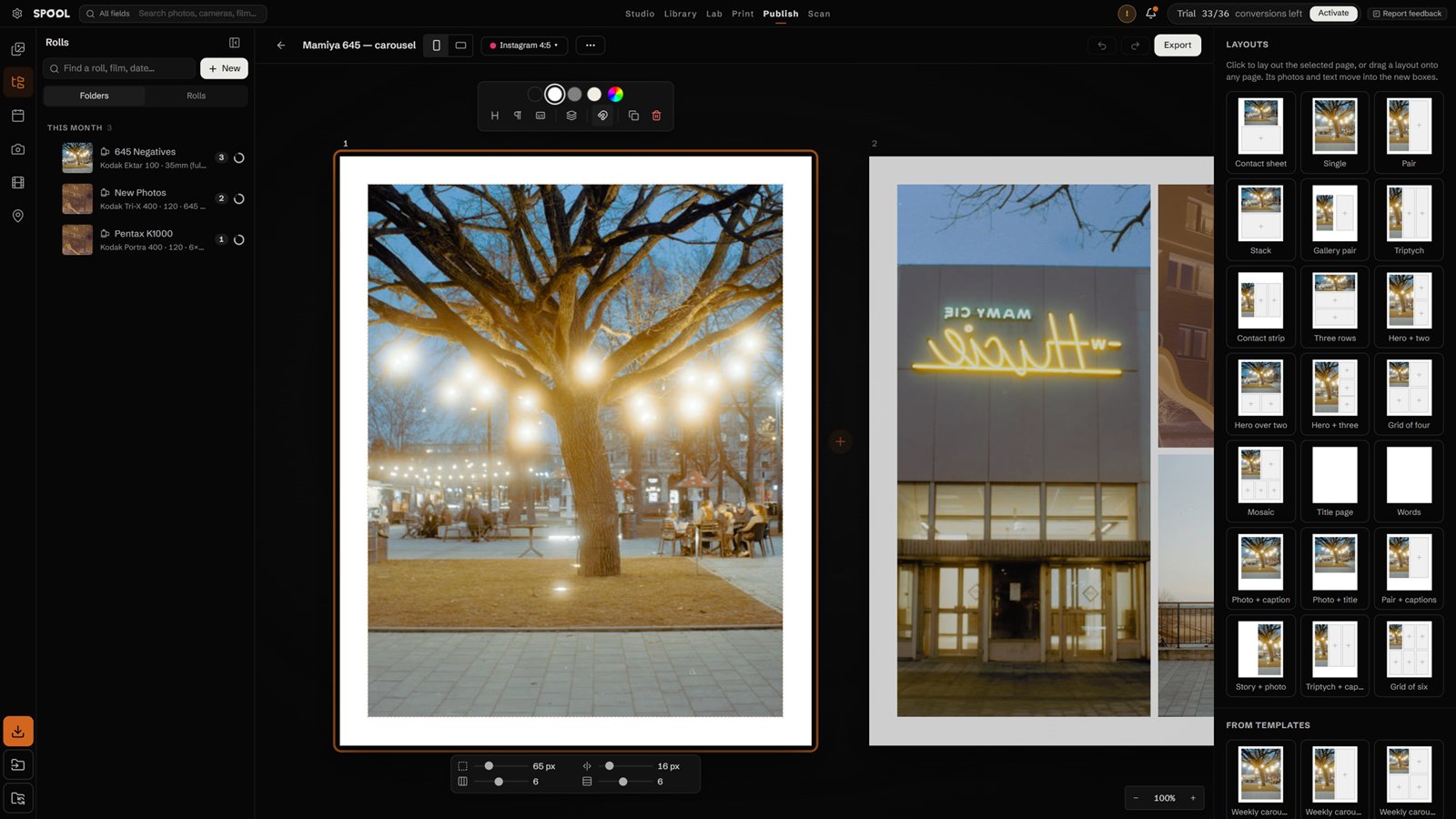
Margins, grid, crop, border and type sit on the page and follow what you click. Select several boxes, or change every page at once.
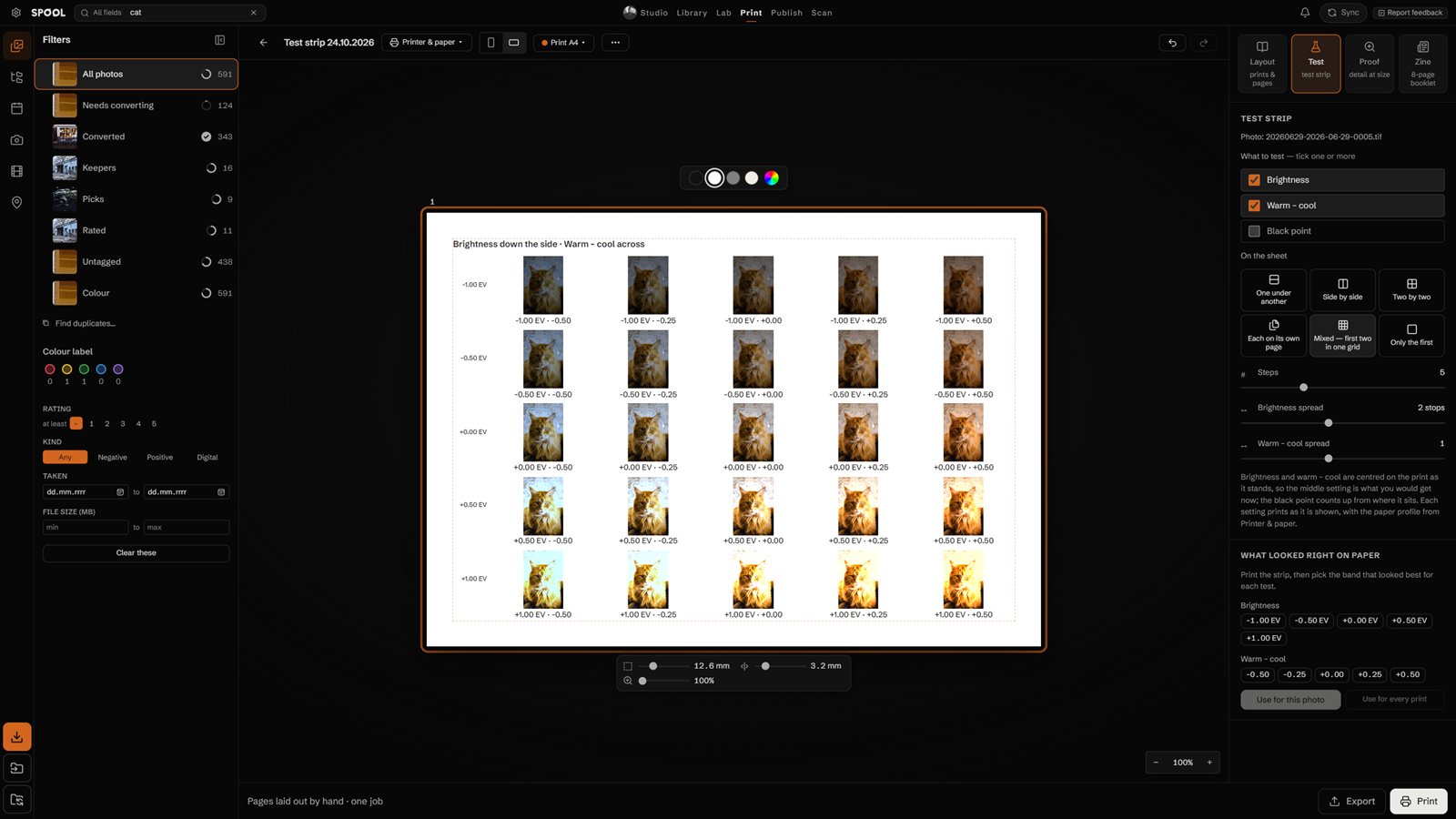
Brightness, warm–cool or black point in bands or copies — or two tests in one grid, every copy labelled. The setting that looked right is kept for every later print.
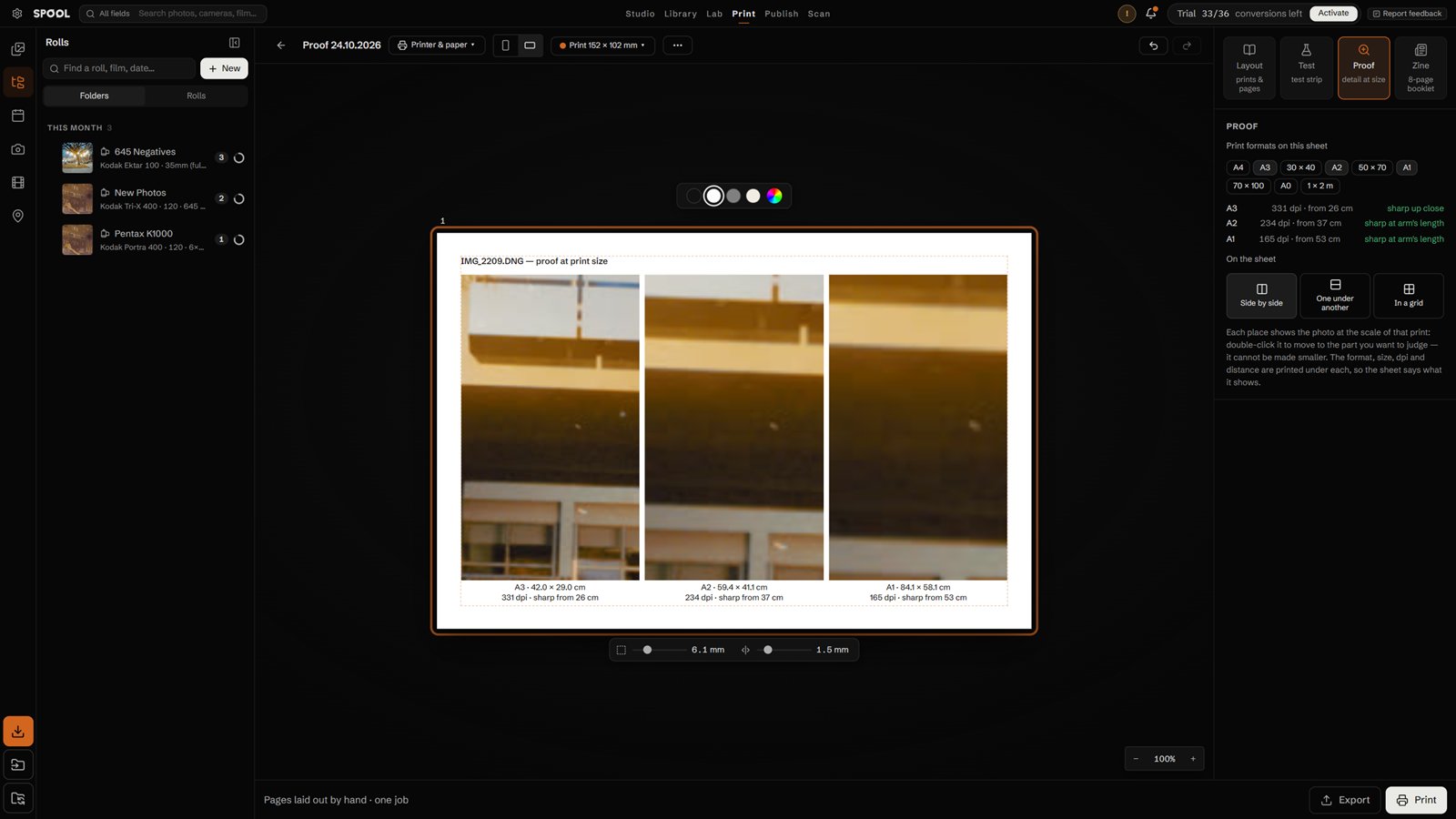
A4 up to 1 × 2 m on one sheet, each with its dpi and the distance it looks sharp from printed under it.
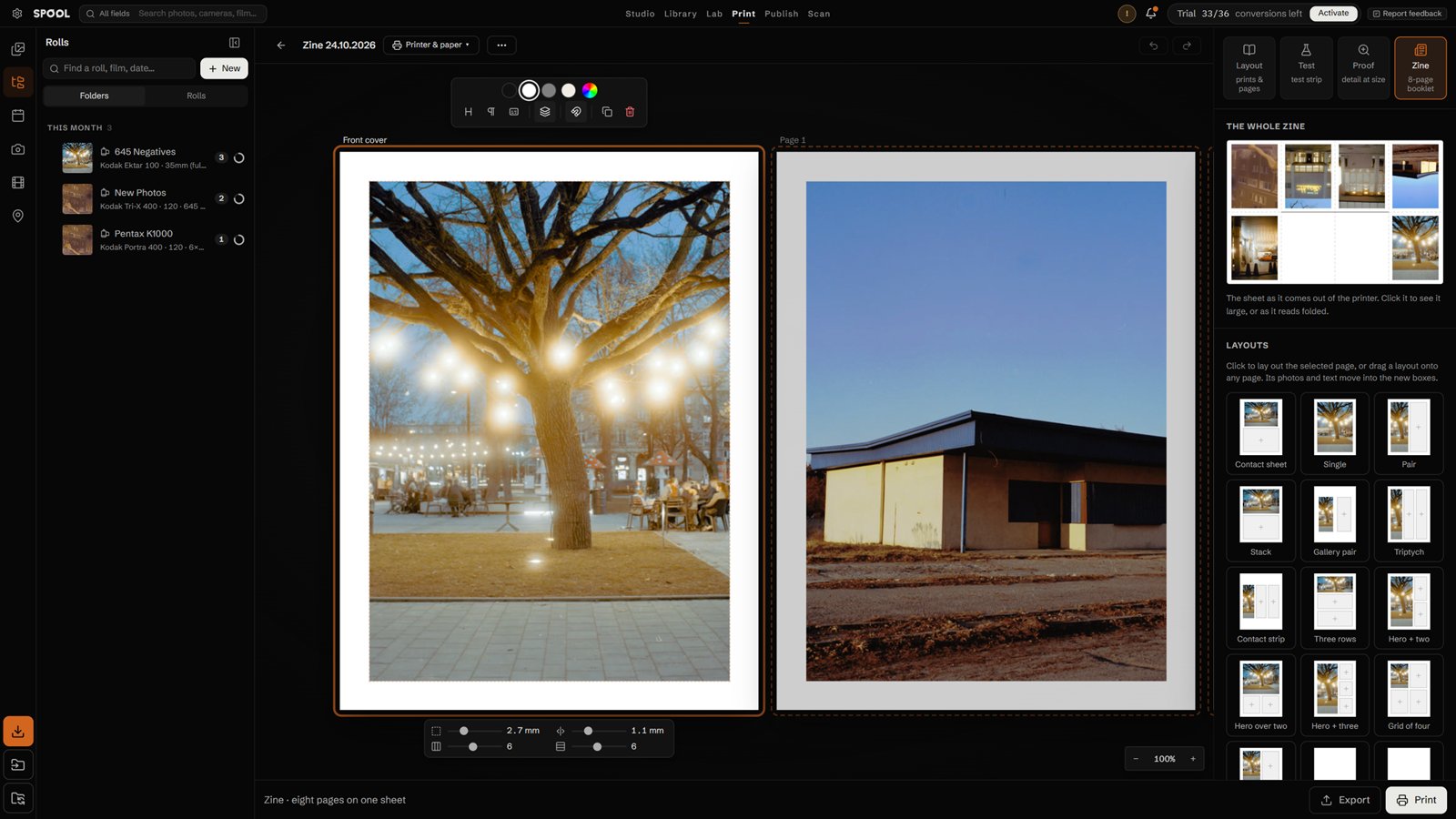
The sheet in the side panel; open it as printed, or as it reads folded. Print asks for printer and paper first.
Every update up to version 1 is included with the licence. Full changelog
0.9.9
2 November 2026
Studio: labels on hover, a light switch, shots in their own menu
0.9.8
2 November 2026
Studio: plan a shoot before it happens
0.9.5
29 October 2026
A photo across two pages stays whole, wide zines print right
0.9.4
29 October 2026
Photo books, sixteen-page zines and tethering for more cameras
Conversion


Colour negative film carries an orange mask that corrects its dyes' unwanted absorption. Inverted, the mask becomes a heavy cyan-blue cast, and it is not the same strength in the shadows and the highlights, so one set of levels cannot remove it.
Spool reads where each of the three layers starts — the clear film base — and where it ends in that frame's densest highlights, and sets black and white per channel from those. There is no grey to find and no eyedropper to click.
Sample the base once from the rebate between frames and convert the roll. Every frame still gets its own range, so one overexposed frame does not shift the others.
Six camera scans of Kodak Gold 200. Left: Negative Lab Pro in Lightroom Classic. Right: Spool. Each converted at its default settings, nothing edited afterwards. Drag the line; pick a frame below.

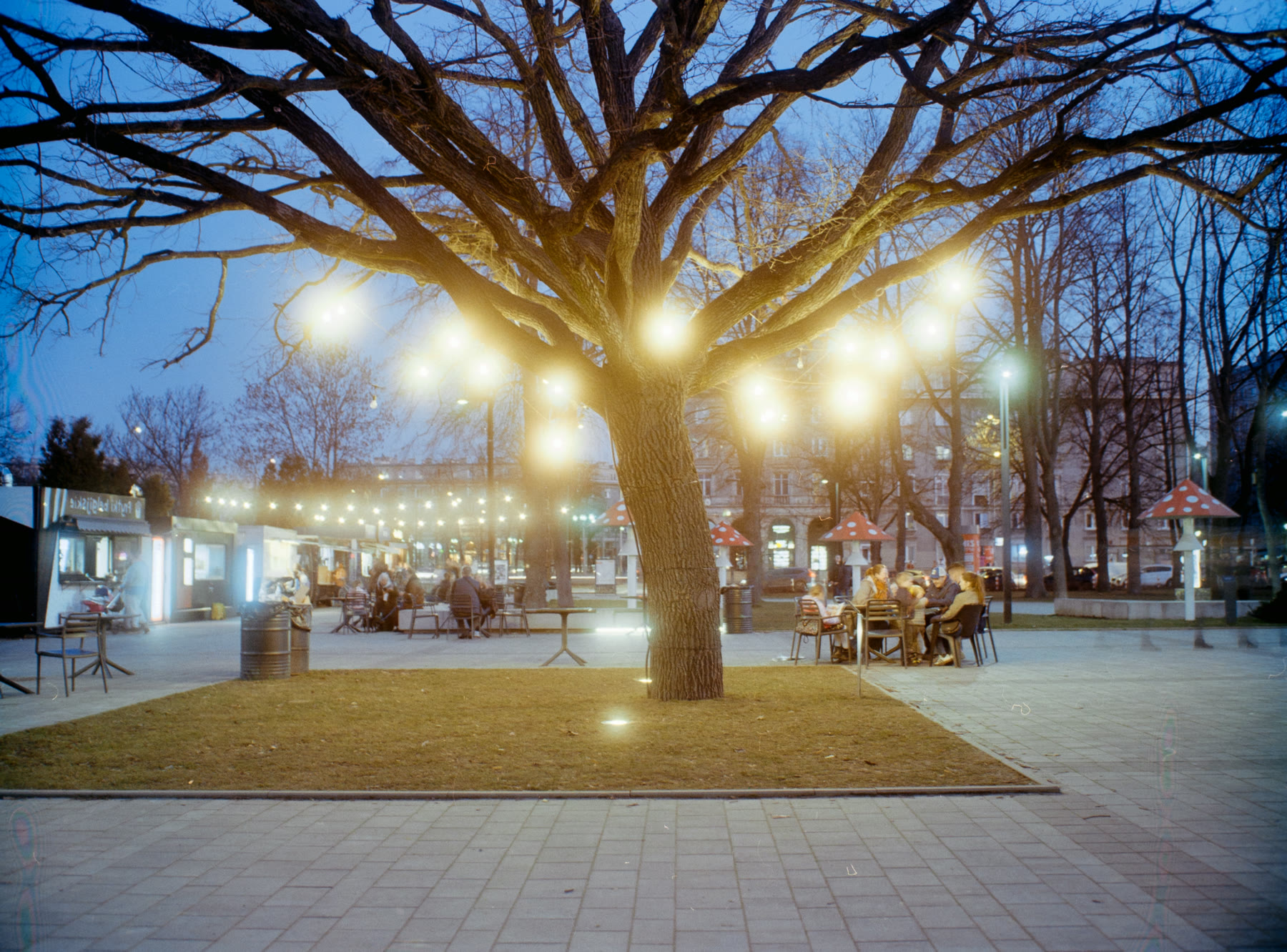
Results depend on the scan, the film and the settings. Negative Lab Pro is a product of Nate Photographic; Spool is not affiliated with it.
Library
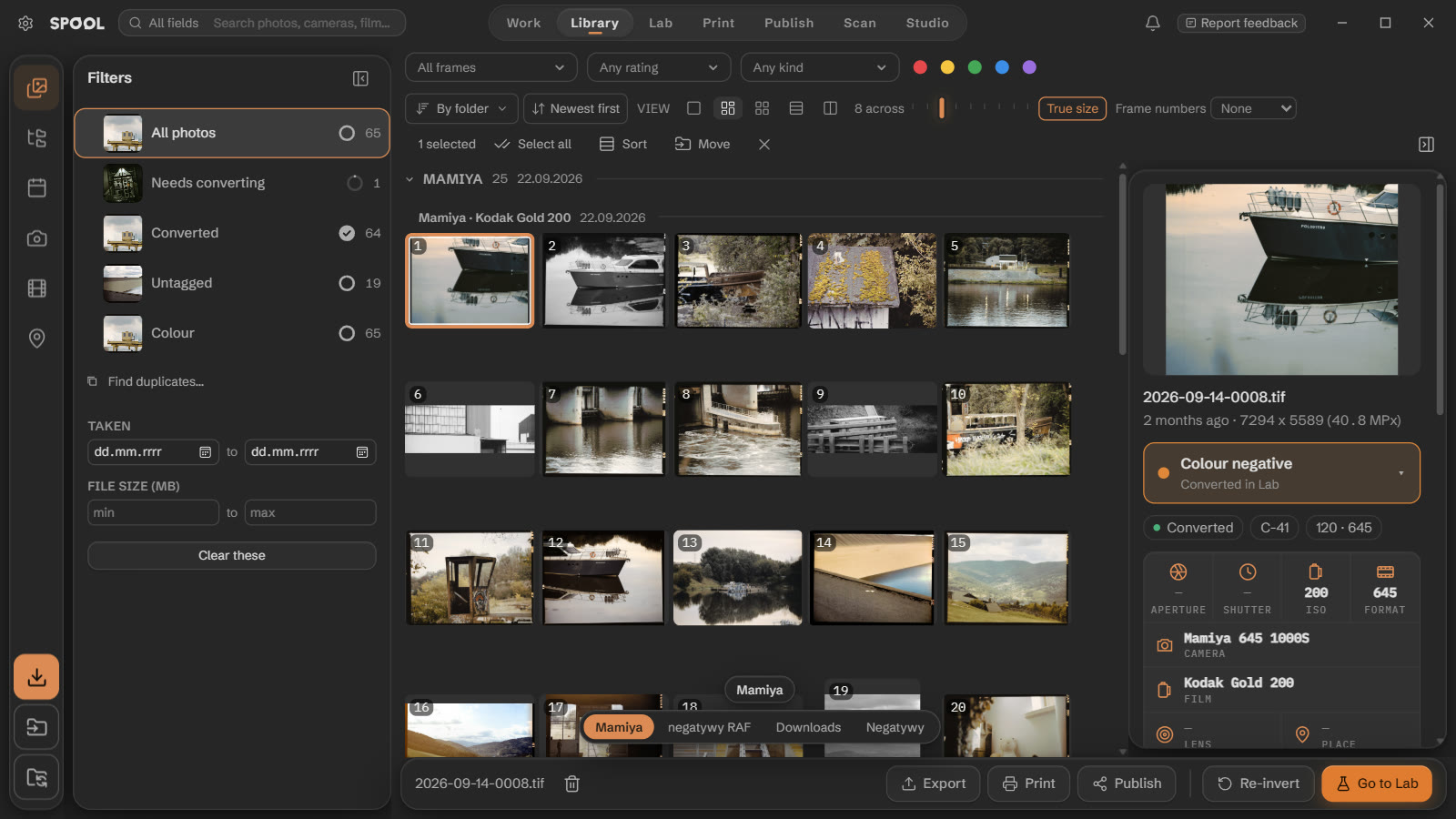
A roll is kept as a roll: frames numbered as they came off the film, newest roll first, each with its own frames on the cover and how far its conversion has got. Sort into rolls splits a folder of scans by roll and fills in film, camera and frame numbers. True size shows 35 mm, 645, 6×7 and XPan frames in their real proportions.
Lab
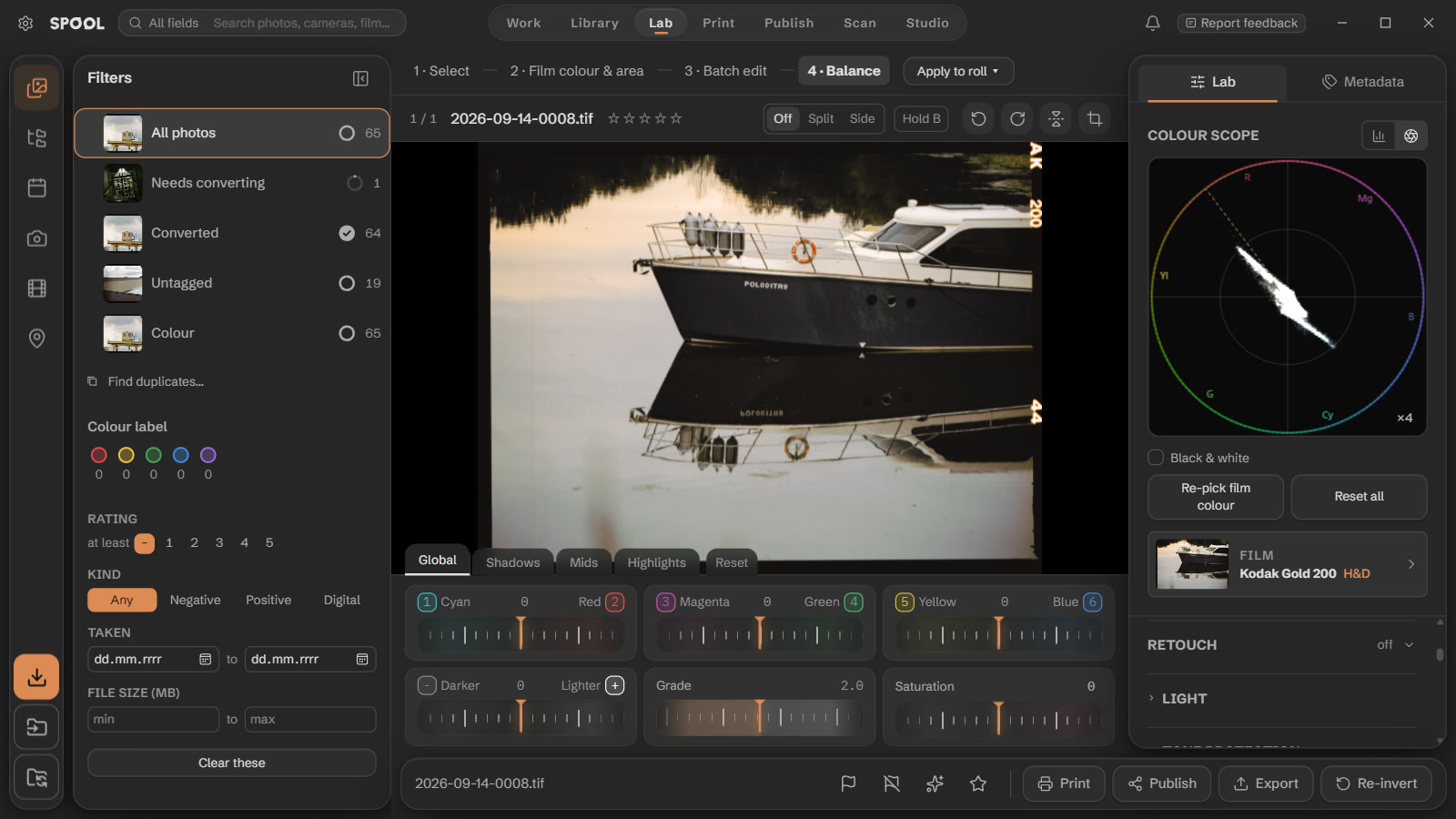
Film base, crop and conversion for the negative; light, colour, curves, grain and retouch for the positive. Pick frames and a slider move is added to each of them from its own value, so a roll keeps its frame-to-frame differences. Exposure works in stops on linear light: +1 doubles the light, as it would under the enlarger.
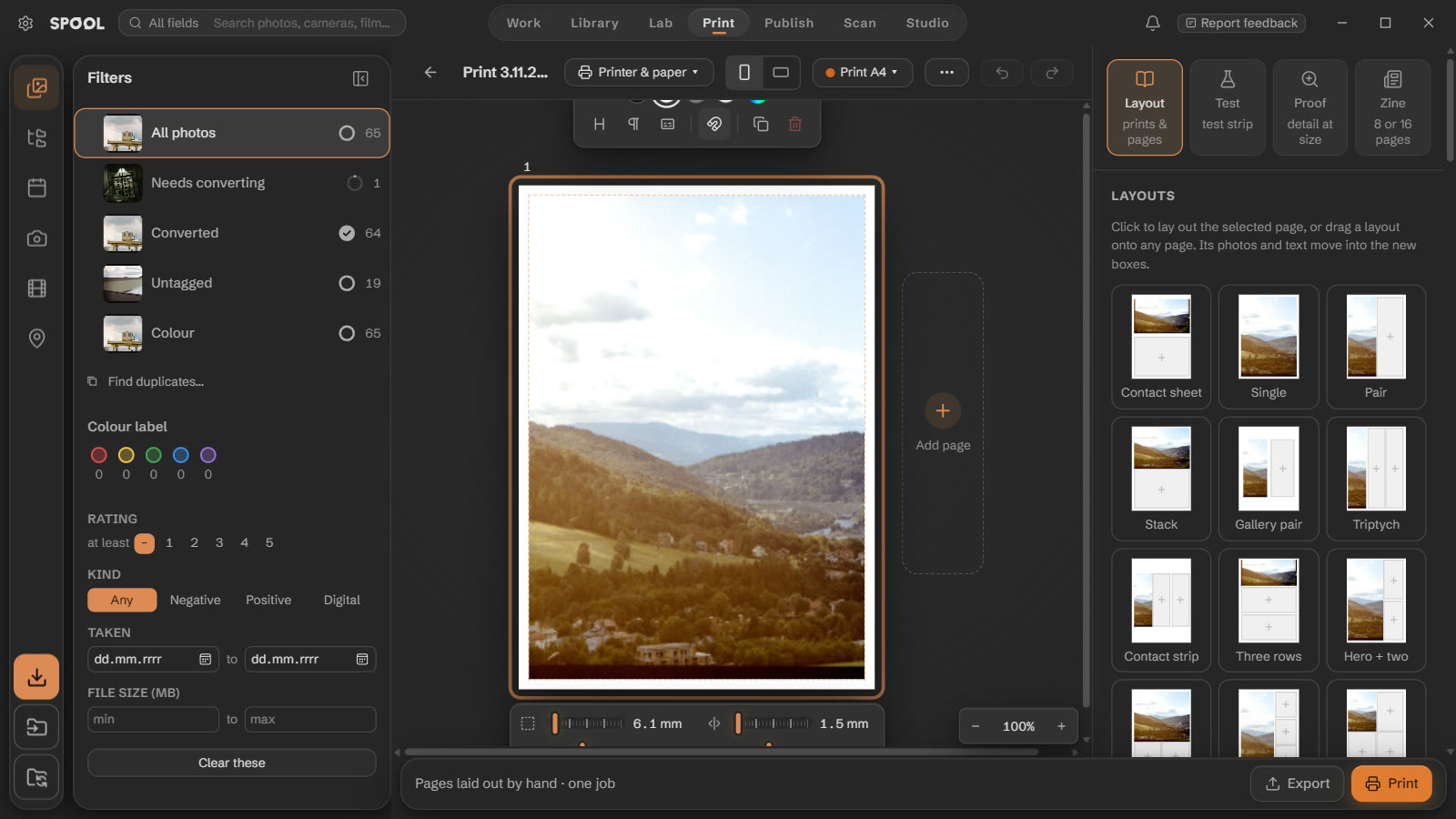
Start with a test strip: brightness, warm–cool or black point, in bands of one picture, in whole copies, or two tests mixed in one grid — every copy labelled on the paper. Pick the band that looked right and every later print of that photo gets it. Then the print: a layout to the millimetre on your printer's paper, a contact sheet of the roll, a proof of the real size of A4 up to 1 × 2 m with its dpi printed under it, or a zine on one sheet with its folds and cut.
Publish
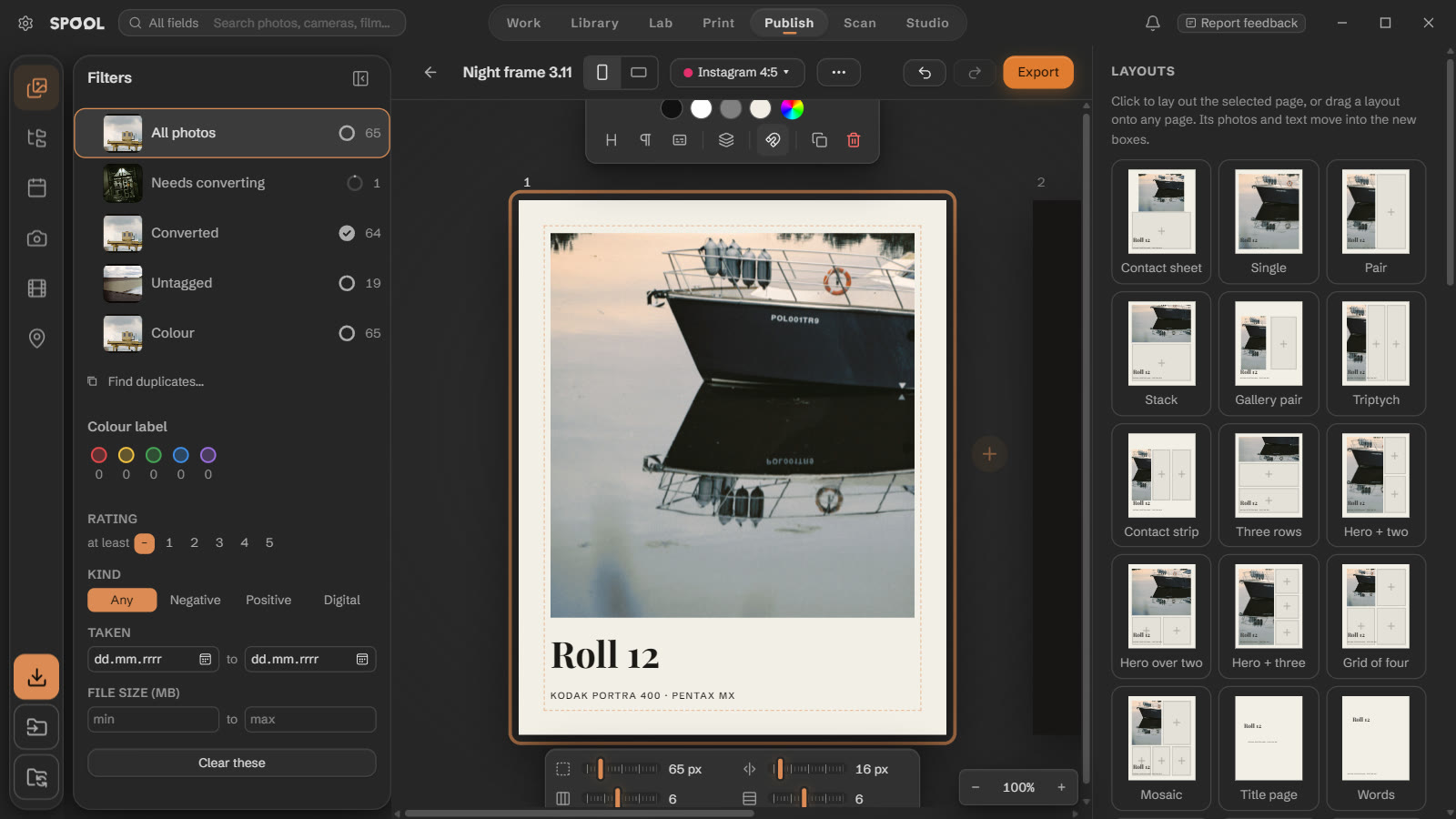
A post at Instagram 4:5, 3:4 or square, a story, 16:9 or Pinterest — or a size of your own. Put frames and text anywhere, snap them to a grid, start from a layout or a template, and fill a saved template with a new roll. Right-click any frame in the library and Publish ▸ starts a post with it.
Scan
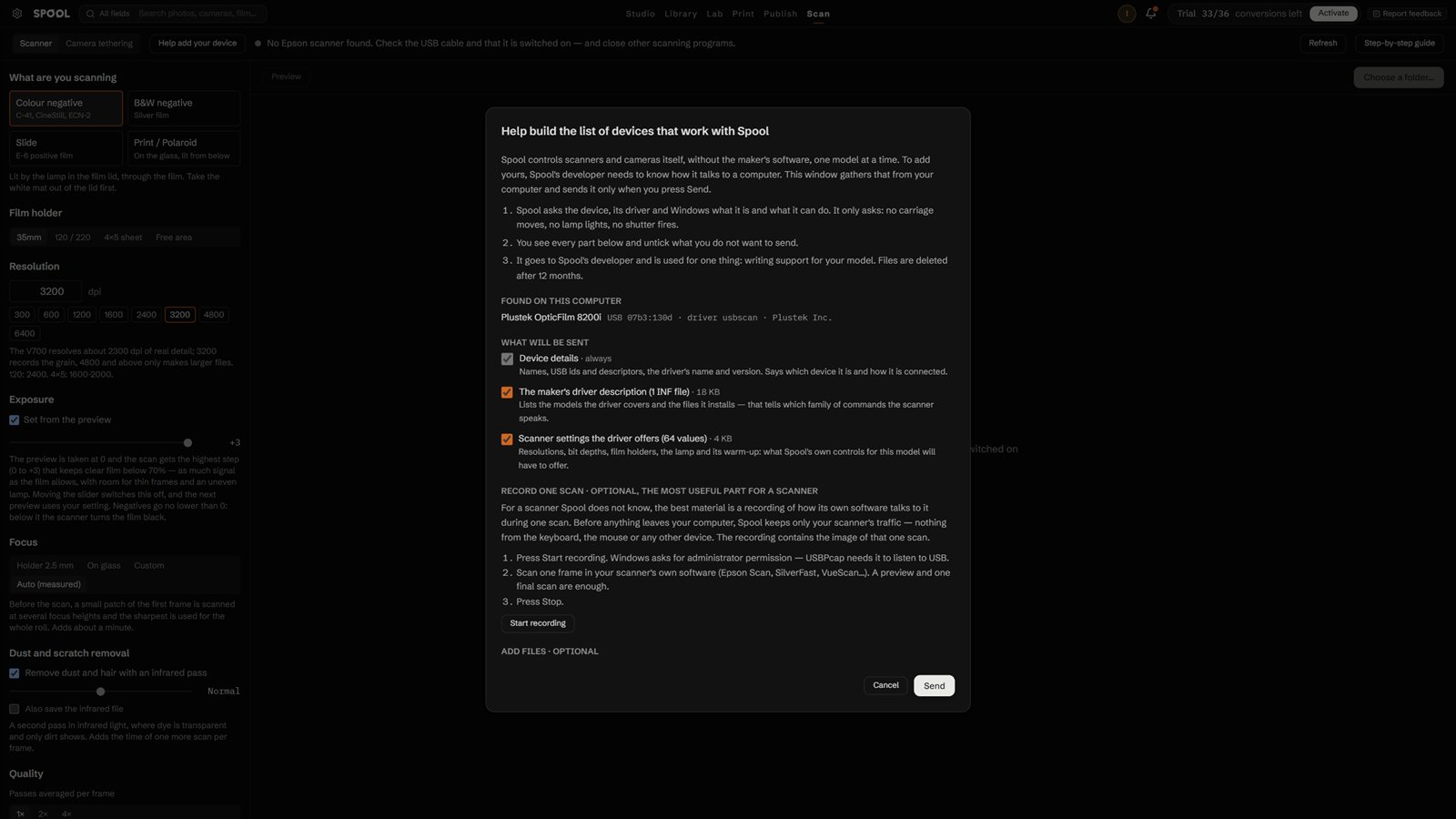
Scan film on an Epson Perfection V700 from inside Spool — every frame on the glass is found by itself and arrives converted. Or photograph negatives with a camera over USB, with a positive preview live, focus by clicking and the space bar for the shutter. Any other scanner or camera works through its own software: point it at a folder and Spool takes each frame as it lands.
$0
Every feature and 36 conversions — enough to judge Spool on a roll of your own film. No account, no card.
$99 $59 once
Unlimited conversions and Sync on 4 computers, Windows and macOS in any mix. Updates up to version 1.
Card, Apple Pay or Google Pay; checkout by Payhip and StripeVISA PayG Pay
One key activates either system. Already installed? Settings → Licence.
| What you get | Free | Licence |
|---|---|---|
| Converting new negatives | 36 frames — one roll | Unlimited |
| Re-converting, editing, retouch, slides, instant film, digital files | Unlimited | Unlimited |
| Export size | Up to 2048 px on the long side | Full resolution |
| Batches — Convert many, copy an edit, presets | 3 frames at a time | A whole roll |
| Publish | 1 project, up to 4 slides | Unlimited |
| 1 project, up to 2 sheets; each zine printed or saved twice | Unlimited | |
| Studio | A preview: one lamp, one camera, a 24–200 mm lens, one window, four set-ups to look at; no saving or PDF | Everything: all gear, 49 set-ups, saving, PDF and social exports |
| Watermark | None | None |
| Sync between computers — library, conversions and edits, directly over the same Wi-Fi, no cloud | — | Up to 4 computers, Windows and Mac together |
| Computers | One | 4 at once, Windows and macOS in any mix |
| Updates | ✓ | All of them up to version 1 |
Price in USD; your bank converts it at checkout. Local taxes may apply.
One short email per major version — 0.9, 1.0, Linux — with what changed. Unsubscribe in one click.
With any of them through files: scan or shoot with the maker's software and import, or let Spool watch the folder they save to. Spool also controls some itself, with no other software — the Epson Perfection V700 for scanning and the Canon EOS 6D for tethering. Tethering for Nikon, Sony, Fujifilm, Panasonic and OM System is in the app, untested so far. See the full list and how to add yours.
Every tab, with limits: 36 conversions of new negatives — one roll — exports up to 2048 px on the long side, 3 frames at a time in batches, one Publish project of up to 4 slides, one Print project of up to 2 sheets, and Studio as a preview. Re-converting, editing, retouch, slides, instant film and digital files have no limit; there is no watermark and nothing expires. The table above has every limit. A licence removes them and adds Sync on up to 4 computers.
Turning a new negative into a positive for the first time. Converting the same frame again, with other settings, costs nothing.
Scans that show the film base, in the frame or between frames: a camera scan in raw or DNG, or a flatbed scan saved as a 16-bit TIFF with the scanner's own corrections off. Spool measures the base itself, so an untouched scan gives it the most to work with.
No. You pay once. Every update up to version 1 is included.
Four at a time, Windows and macOS in any mix — one key activates either system. To move to a new computer, deactivate an old one in Settings → Licence, on that computer or from the list on any other.
Buy on this page; checkout runs through Payhip and the key arrives by email at once. In Spool, open Settings → Licence, paste the key and the email you bought with, and click Activate. The trial limit goes away and everything you have done stays.
The email you bought with stays with Payhip. The licence server keeps, per key, the computers it is active on — a random device ID, the computer's name and the activation date — so it can count to four. Your photos, library and edits never leave your computers.
Windows 10 and 11 (64-bit) and macOS, one download for Apple Silicon and Intel. Linux and an iPhone and iPad app are in development.
Yes. In Settings → Sync choose a shared folder on a NAS — Synology, QNAP or any network drive — and test the connection. Each computer leaves its changes there, so they stay current even if they are never on at the same time.
Click Report feedback at the top of any screen in Spool; it adds the screen and version for you. Or email contact@spool-negative.com. Every report is read.